
AI Photo Enhancer
Better light. Cleaner detail. Original composition.
Good photos start here.
Give light, colour and detail a natural lift.
JPG, PNG, WebP · Up to 10 MiBUp to 4 MP · Photos without transparency
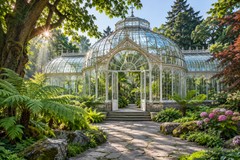

A clearer distinction.
Photo Enhancer preserves the original composition. Your quote shows the final output dimensions and Credits. Open Image Upscaler to choose a separate supported scale.
Explore Image Upscaler →How is enhancement different from upscaling?+
Photo Enhancer aims to improve light, colour and noise while preserving the original composition. Output pixel dimensions may change. Image Upscaler increases width and height by 2×, 3×, 4× or 8×. Choose the tool that matches your goal.
Will my image get bigger?+
Photo Enhancer preserves the original aspect ratio. The output may be larger or smaller than your input. After enhancement, you can open the result in Image Upscaler and choose a separate 2×, 3×, 4× or 8× task.
Which files can I upload?+
Supported formats are JPG, PNG and WebP photos without transparent pixels, up to 10 MiB, 4 megapixels and 4,096 pixels per side. Animated files, HEIC and RAW are not included in this release.
How do credits work?+
The processing cost starts at 10 Credits and depends on the final output dimensions. Review your exact quote before processing. Re-downloads are free. All tools share the same PicMaestro balance and one-time trial; opening a tool does not grant more credits. Downloading or switching export format does not cost extra credits.
Can AI change faces or text?+
AI can alter fine details. Face reconstruction is not included in photo enhancement. Always compare faces, writing and important textures with your original before using the result. Enhancement is not a guarantee of accurate detail recovery.
Are these examples real AI results?+
Samples load a photo into the preview. They do not include a pre-made AI result. Enhance the sample to create a real comparison using your credits.